Holidays Manager v1.0.1 Released
We're delighted to announce the first maintenance release of Holidays Manager, introducing several enhancements to improve the holiday watch and category watch experience. This release also addresses bugs in the Category Watch feature. Changelog
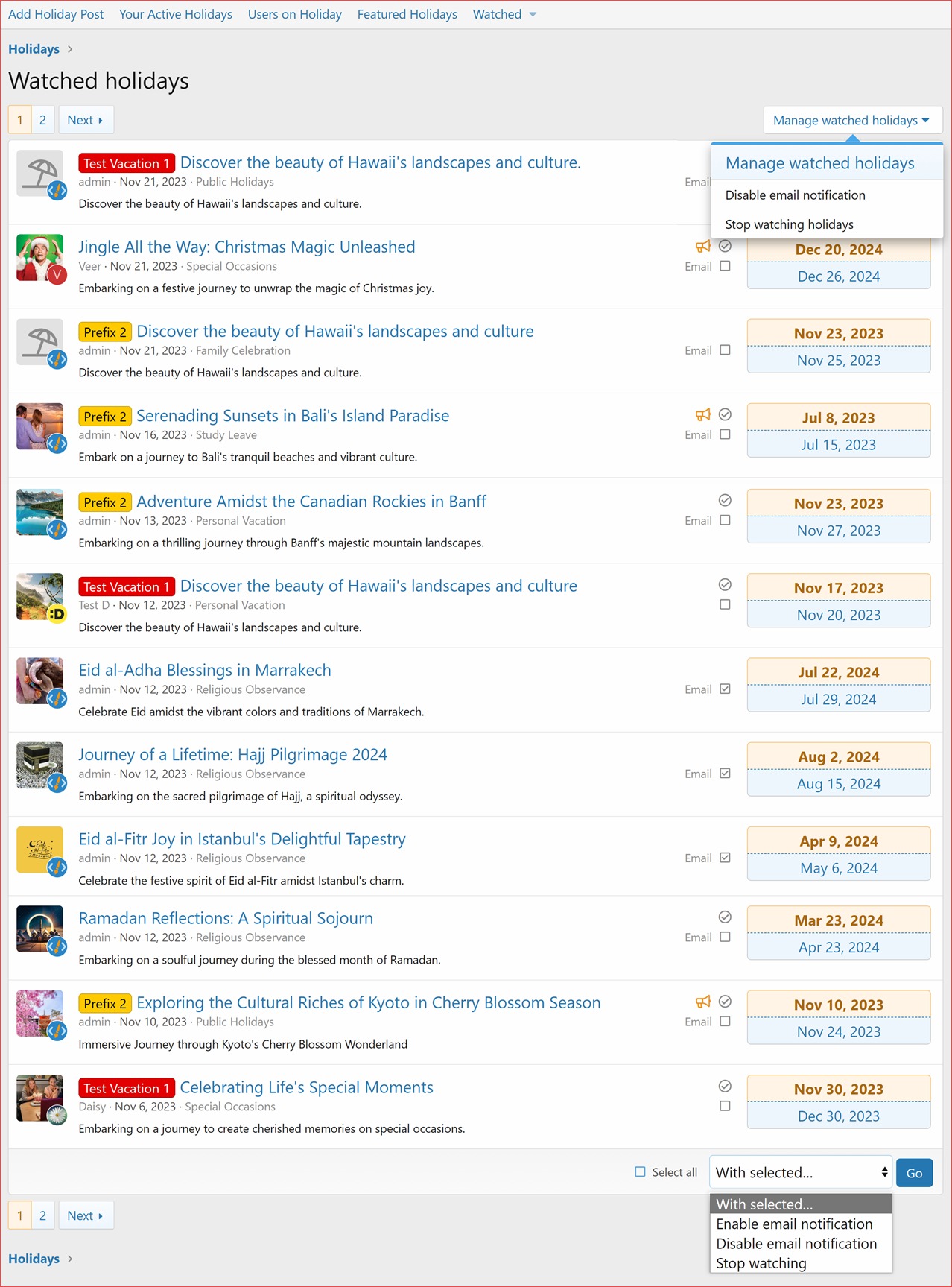
- Added a Watched Holidays Page
- This page displays all the Holidays you've watched in a new list view layout.
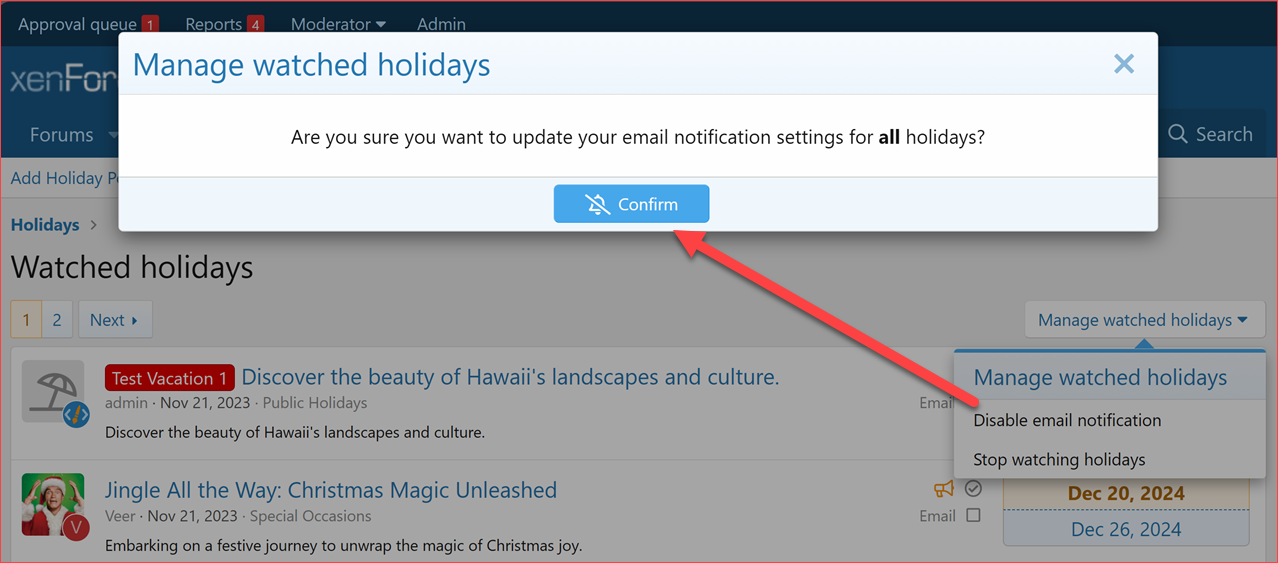
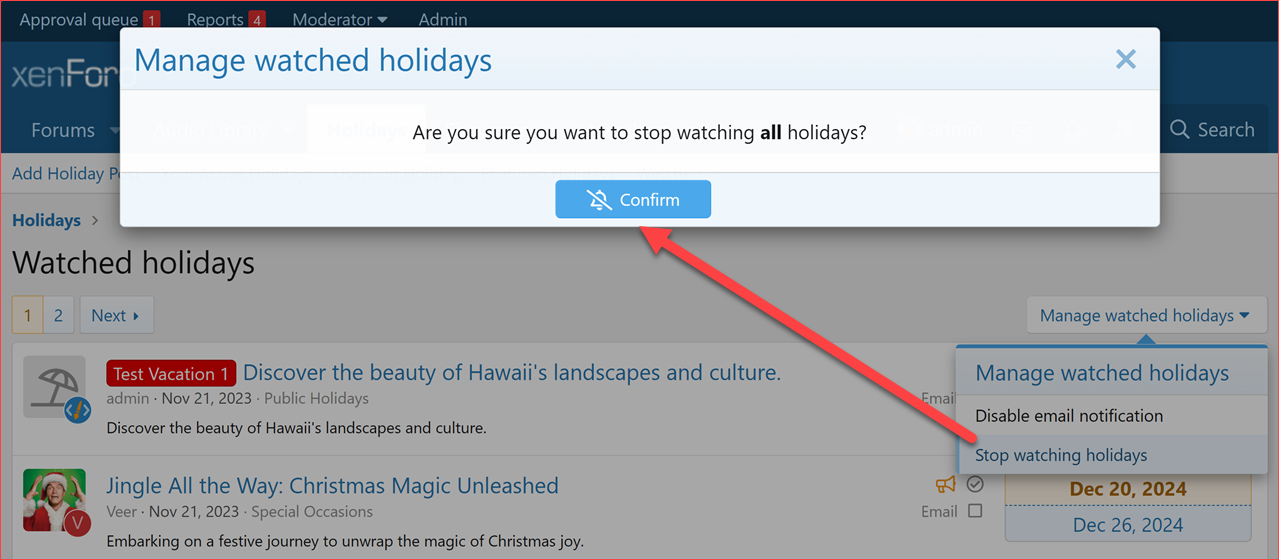
- It allows you to efficiently manage your watched holiday posts, including:
- Disabling email notifications
- Stop watching holidays.
- You can select all or multiple holiday posts and, with your selection, you can:
- Enable email notification
- Disable email notification
- Stop watching.
- Included a new navigation link for easy access to your watched holiday posts.
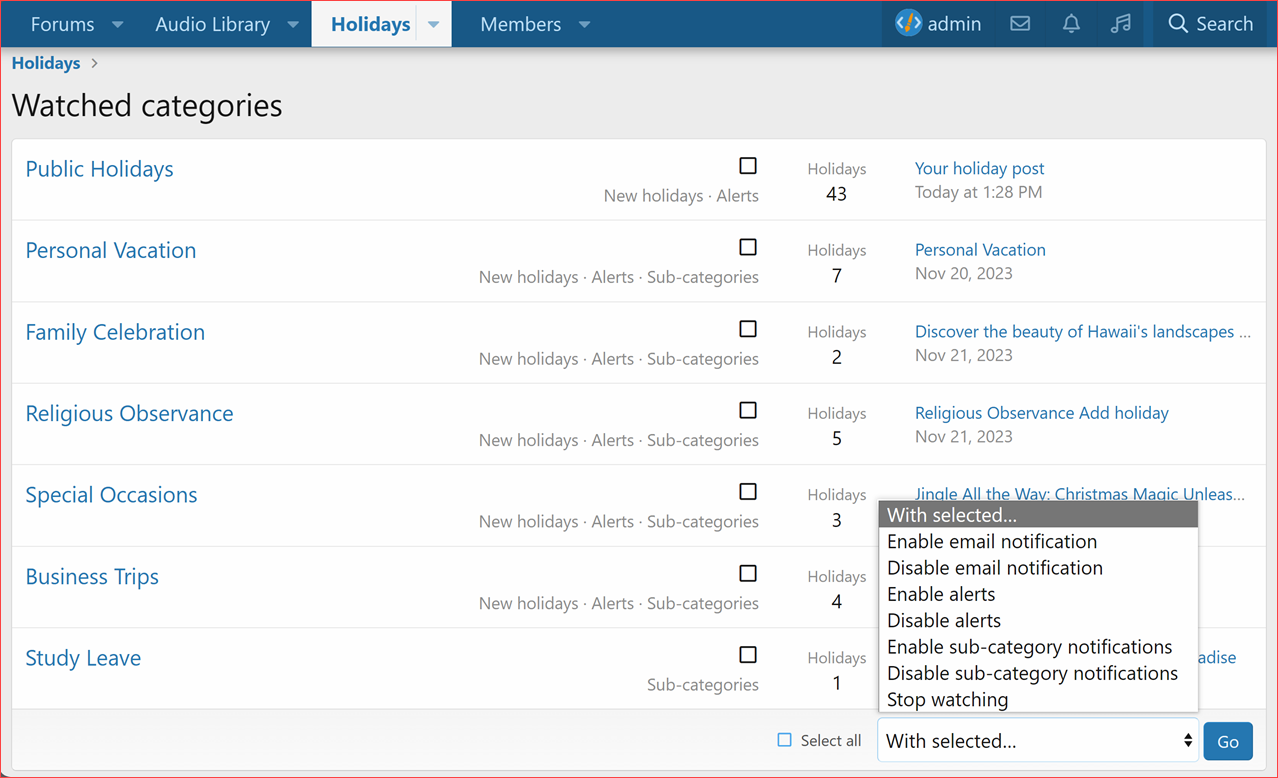
- Added a Watched Categories Page
- This page displays all the categories you've watched along the watch information.
- It allows you to efficiently manage your watched categories.
- You can select all or multiple categories and, with your selection, you can:
- Enable email notification
- Disable email notification
- Enable alerts
- Disable alerts
- Enable sub-category notifications
- Disable sub-category notifications
- Stop watching.
- Included a new navigation link for easy access to your watched categories.
- Fixed incorrect table reference in the
setWatchStateForAllmethod. - Fixed incorrect '
allowedValues' in theCategoryWatchentity's 'notify_on' column definition.- Updated the install script to reflect the corrected '
notify_on' values during table creation inxf_xcu_holiday_category_watch. - Added code in the upgrade script to handle the correction in existing installations.
- These changes ensure consistency and accuracy in the handling of notification values in the
xf_xcu_holiday_category_watchtable.
- Updated the install script to reflect the corrected '