

A new product by XenCustomize is available: Ad Between Resources 2.0.0 -
 Effortless Ad Placement: Place advertisements between resource lists without any manual template modifications.
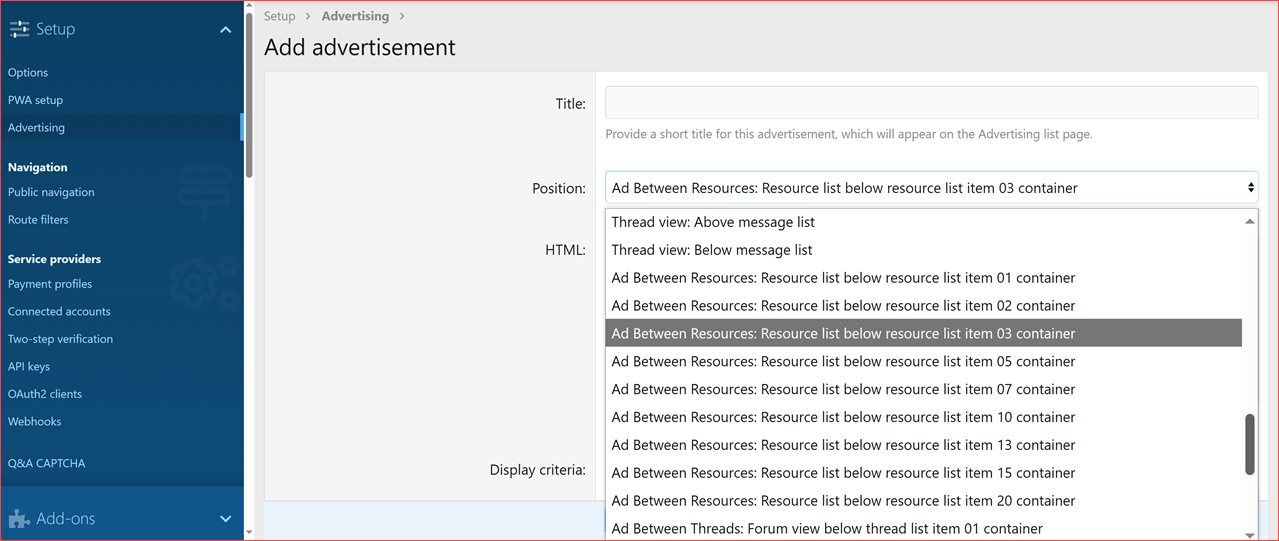
 Ad Positions: Add ads below specific resources list items, including resource #1, #2, #3, #5, #7, #10, #13, #15, and #20.
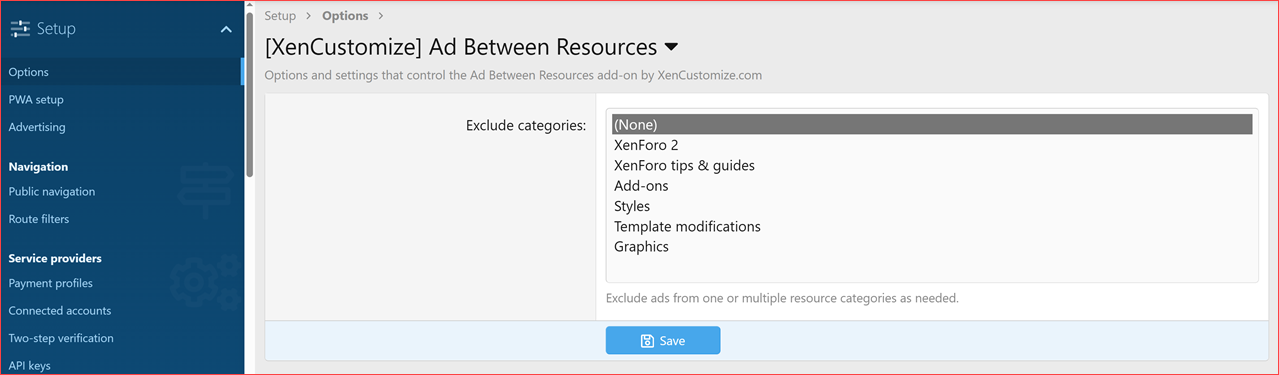
 Category-Specific Exclusions: Use the admin option to prevent ads from displaying in specific resource category.
 Upgrade Your Forum Monetization Today!
Explore the screenshots for a closer look at what Ad Between Resources can do for your XFRM.
 Exclude Specific Categories: Easily define which categories should not display advertisements.
 Flexible Ad Management: Manage all ad content and settings using XenForo’s built-in advertising system.
Curious how it works? Here’s a preview!
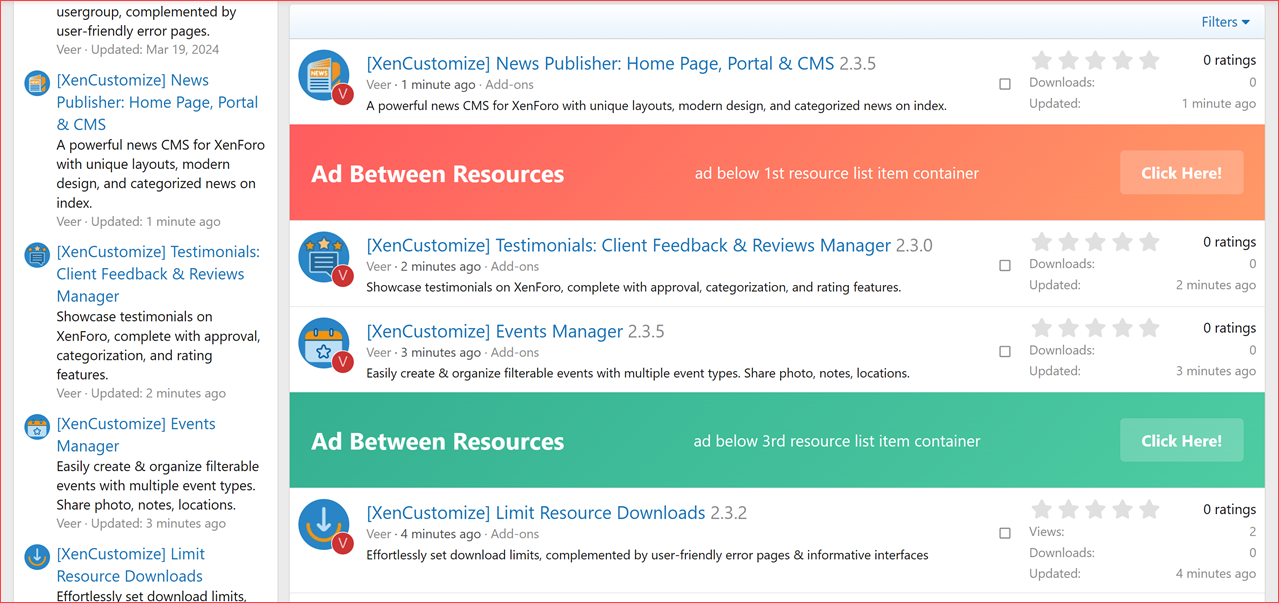
Below is an example showing ads displayed after resource # and # :
:
This add-on offers a professional solution for integrating advertisements into your XenForo Resource Manager, enhancing your monetization capabilities with minimal effort. It seamlessly leverages XenForo’s advertising system, ensuring a user-friendly setup and management process.
Explore the possibilities and take your forum's advertising strategy to the next level today!
Read more about this product...
Introducing Ad Between Resources – Simplified Ad Placement for XenForo 2
Unlock seamless advertising potential for your XenForo Resource Manager with Ad Between Resources, an add-on that integrates 9 new predefined advertising positions directly into the XenForo advertising system. Position your ads effortlessly between resources to enhance visibility and revenue while maintaining a clean user experience. Key Features:
Effortless Ad Placement: Place advertisements between resource lists without any manual template modifications. Ad Positions: Add ads below specific resources list items, including resource #1, #2, #3, #5, #7, #10, #13, #15, and #20. Category-Specific Exclusions: Use the admin option to prevent ads from displaying in specific resource category. Upgrade Your Forum Monetization Today!Explore the screenshots for a closer look at what Ad Between Resources can do for your XFRM.
 Exclude Categories & Ad Management
Exclude Specific Categories: Easily define which categories should not display advertisements. Flexible Ad Management: Manage all ad content and settings using XenForo’s built-in advertising system. Resource List Example:
Curious how it works? Here’s a preview!Below is an example showing ads displayed after resource #
and #: Why Choose Ad Between Resources?
This add-on offers a professional solution for integrating advertisements into your XenForo Resource Manager, enhancing your monetization capabilities with minimal effort. It seamlessly leverages XenForo’s advertising system, ensuring a user-friendly setup and management process.Explore the possibilities and take your forum's advertising strategy to the next level today!
Read more about this product...


