
XenCustomize Survey Manager 2.3.0
- Seller XenCustomize
- Creation date
Create and manage surveys in XenForo with multiple question types, multi-page responses, conditional logic, analytics, and discussion integration.
-
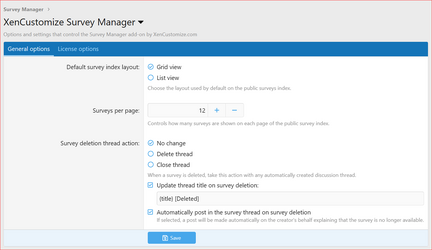 XenCustomize-Survey-Manager-230-ACP-Admin-Options.png
 -
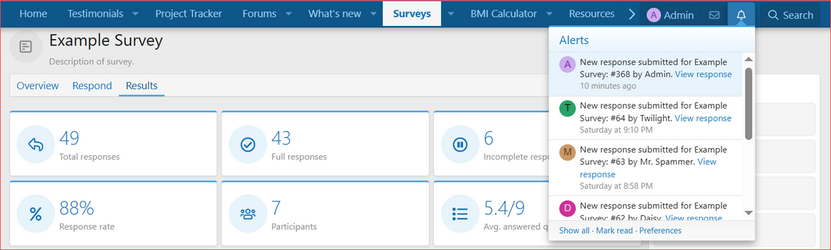 XenCustomize-Survey-Manager-230-Survey-new-response-alert.png
 -
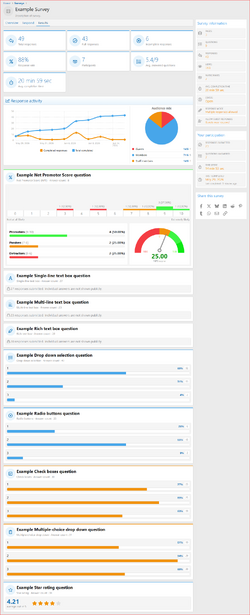 XenCustomize-Survey-Manager-230-Survey-view-Results.png
 -
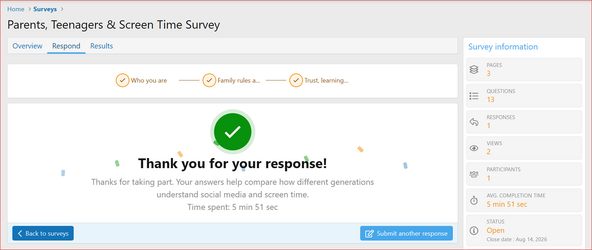 XenCustomize-Survey-Manager-230-Survey-view-Respond-complete.png
 -
 XenCustomize-Survey-Manager-230-Survey-view-Respond-page-3.png
 -
 XenCustomize-Survey-Manager-230-Survey-view-Respond-page-2.png
 -
 XenCustomize-Survey-Manager-230-Survey-view-Respond.png
 -
 XenCustomize-Survey-Manager-230-Survey-view-Overview.png
 -
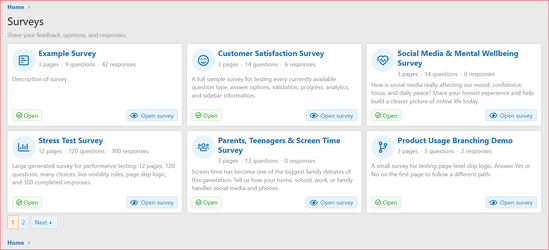 XenCustomize-Survey-Manager-230-Surveys-index.png
 -
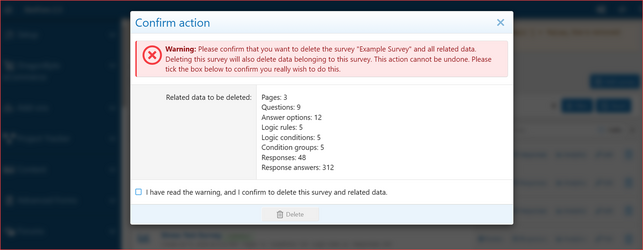 XenCustomize-Survey-Manager-230-ACP-Surveys-List-Delete-survey-confirm.png
 -
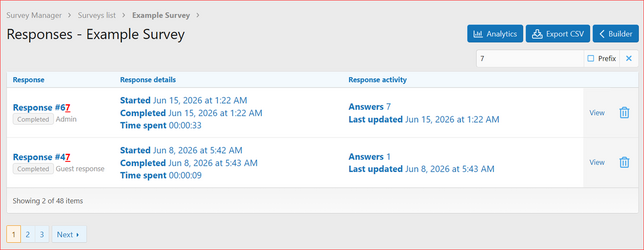 XenCustomize-Survey-Manager-230-ACP-Surveys-list-Survey-Responses.png
 -
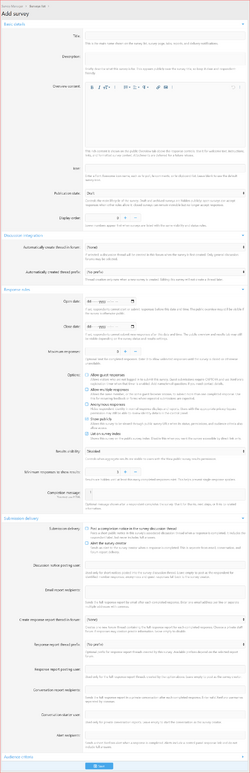 XenCustomize-Survey-Manager-230-ACP-Surveys-Add-survey.png
 -
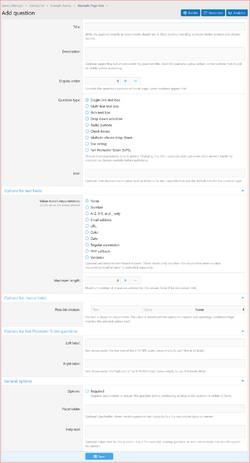 XenCustomize-Survey-Manager-230-ACP-Survey-Builder-Add-question.png
 -
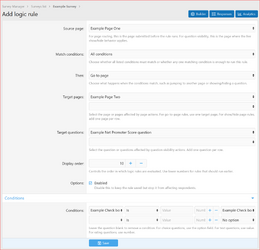 XenCustomize-Survey-Manager-230-ACP-Survey-Builder-Add-logic-rule.png
 -
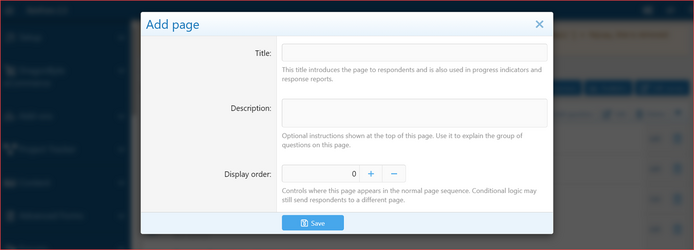 XenCustomize-Survey-Manager-230-ACP-Survey-Builder-Add-Page.png
 -
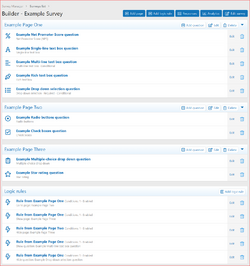 XenCustomize-Survey-Manager-230-ACP-Survey-Builder.png
 -
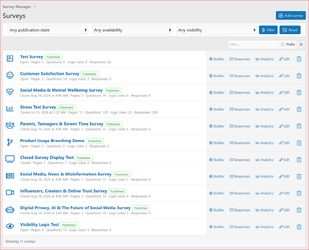 XenCustomize-Survey-Manager-230-ACP-Surveys-List.png
Overview Releases (1)
 XenCustomize Survey Manager for XenForo 2
Create professional surveys inside XenForo with multi-page forms, conditional logic, public result summaries, response delivery, guest protection, and detailed ACP reporting.Survey Manager adds a complete XenForo-native survey system for communities, support forums, product sites, customer feedback areas, research communities, and staff-run questionnaires.
It is designed to feel like part of XenForo instead of a disconnected external form tool. Surveys have public overview pages, response pages, result tabs, discussion integration, permissions, phrases, reactions, view counts, and Admin CP management built around XenForo's normal patterns.
 Key Benefits
 Build real multi-page surveys with pages, questions, descriptions, validation, and answer options
 Use conditional logic to show or hide later questions or pages based on previous answers
 Show aggregate results with charts, bars, metrics, star averages, and NPS summaries
 Accept guest responses safely with XenForo CAPTCHA and submit-timer protection
 Target the right audience with XenForo user criteria and survey permissions
 Deliver completed responses by email, alerts, conversations, discussion notices, or private report threads
 Feels native to XenForo with XF permissions, phrases, templates, reactions, thread integration, and Admin CP tools
 Features
 Survey overview content
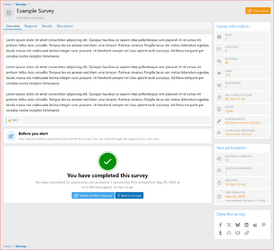
Create a public survey overview page with a short description and a rich BB code content area. This gives each survey a proper content page before users begin answering.
 Multi-page surveys
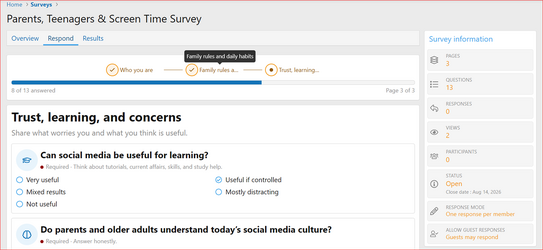
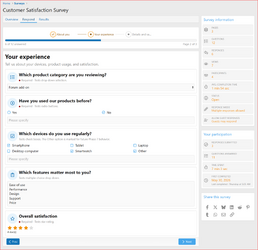
Organize longer surveys into multiple pages. Each page can have its own title and description, with a progress indicator and answered-question count while respondents move through the survey.
 Supported question types
Survey Manager includes the practical question types needed for the initial release:
- Single-line text box
- Multi-line text box
- Rich text box
- Drop down selection
- Radio buttons
- Check boxes
- Multiple-choice drop down
- Star rating
- Net Promoter Score (NPS)
 Net Promoter Score question type
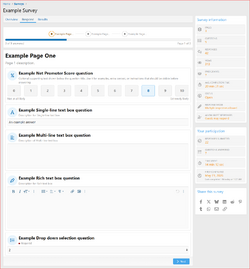
Add a dedicated NPS question with a fixed 0-10 scale, customizable left/right labels, Promoters / Passives / Detractors grouping, standard NPS score calculation, distribution bars, and a visual NPS result meter.
 Required and optional questions
Mark questions as required where needed. Hidden or skipped questions are handled safely so conditional paths do not block valid submissions.
 Choice options and layout control
Choice-based questions support answer options, display order, column layout, Other-style answers, and exclusive choices where appropriate.
 Conditional logic
Create logic rules based on answers from the selected source page or earlier answered pages. Rules can show or hide one or more target questions, or show/hide entire pages, while remaining server-enforced.
 Multi-target logic actions
One rule can affect multiple target questions or pages, reducing repetitive admin work for real survey paths such as customer/seller branches, staff-only follow-ups, or product-specific sections.
 Audience criteria
Use XenForo's native user criteria system to target surveys to the right visitors. Global permissions remain the broad gate, while each survey can add its own audience rules.
 Guest response support
Allow guests to respond when appropriate. Guest submissions can be protected by XenForo CAPTCHA and submit-timer behavior, and guest response context is available to managers in the ACP where appropriate.
 Anonymous response option
Surveys can hide respondent identity in response delivery/reporting when anonymous responses are enabled.
 Multiple responses support
Allow one response per user or multiple responses, depending on the survey's purpose.
Public results tabWhen enabled by the admin, users with permission can view aggregate survey results on a dedicated Results tab. Results can respect minimum-response thresholds and timing/visibility settings.
Visual result summariesPublic results include overview metrics, response activity charts, audience mix, answer-count summaries, choice bars, star-rating averages, and NPS-specific result blocks.
 Time spent tracking
Completed responses track completion time. Survey information and participation summaries can show useful time-spent details such as average completion time and a viewer's own time spent.
 Submission delivery
Completed responses can be delivered to configured destinations:
- Email reports through XenForo mail
- Safe completion notices in the associated survey discussion thread
- Private response report threads in a selected forum
- Private conversations to selected users
- XenForo alerts to the survey creator and/or selected users
 Discussion thread integration
Surveys can optionally create and link to a XenForo discussion thread. Survey-linked threads use a survey-aware thread type with native tabs for Overview, Respond, and Discussion.
 Reactions on survey overview content
Users with permission can react to survey overview content using XenForo's native reaction system.
 Survey view counts
Survey overview views are tracked and can be shown in the survey information sidebar once views exist.
 Admin CP builder
Build and manage surveys from the Admin CP with pages, questions, answer options, logic rules, delivery settings, audience criteria, and organized add/edit sections.
ACP response managementSurvey managers can view responses, see respondent details where allowed, review answers, inspect guest context safely, export CSV data, and delete responses when needed.
ACP analyticsAdmin analytics provide survey-level and question-level summaries, including result metrics, timelines, answer counts, choice distributions, rating summaries, and NPS reporting.
 Clean deletion and uninstall behavior
Survey deletion removes owned survey data such as pages, questions, options, logic rules, logic targets, conditions, responses, response answers, report-cache rows, and linked cleanup data.
 Translation-ready
Public and Admin CP wording is phrase-based, with XenForo templates and mail templates used where appropriate.
Specifications
- Supported XenForo version: XenForo 2.3.0+
- Survey overview pages: Yes
- Multi-page surveys: Yes
- Public survey index: Yes
- Public result summaries: Yes
- ACP analytics: Yes
- CSV export: Yes
- Guest responses: Yes
- Guest CAPTCHA protection: Yes
- Submit timer protection: Yes
- Audience criteria: Yes
- Conditional logic: Yes
- Multi-target logic: Yes
- NPS support: Yes
- Star rating support: Yes
- Time spent tracking: Yes
- Response delivery: Email, discussion notice, report thread, conversation, alert
- Discussion thread integration: Yes
- Survey reactions: Yes
- Survey view counts: Yes
- Permissions included: Yes
- Translation-ready phrases: Yes
Use Cases
- Community feedback surveys
- Customer satisfaction and NPS surveys
- Product usage and feature-priority surveys
- Member onboarding questionnaires
- Support experience feedback
- Event, meetup, or activity interest forms
- Staff/internal questionnaires
- Guest-friendly feedback forms with CAPTCHA protection
- Branching surveys where earlier answers control later pages or questions
 Privacy And Control
- Public results are aggregate summaries, not individual response lists.
- Private response details remain in ACP and configured private delivery destinations.
- Anonymous responses hide respondent identity where response details are delivered or viewed.
- Guest IP, referer, and user-agent diagnostic details are kept to ACP response views where appropriate, not public pages.
- Admins can require a minimum number of completed responses before public results are available.
- Survey access still depends on XenForo permissions and survey audience criteria.
Good To Know
- Survey Manager is focused on surveys, questionnaires, feedback forms, and structured response collection.
- Public results are designed for aggregate summaries, helping communities see trends without exposing individual response details.
- Email delivery depends on your XenForo mail configuration.
- Exact survey view/update timing follows XenForo cron behavior.
Requirements
- XenForo 2.3.0+
- XenCustomize Core Library 1.0.2+ (free for customers).
 License Setup
After installation, go to the add-on options and open the License options tab to enter your license key. If you have a branding-free license key, you may enter it there as well to remove branding.License verification may use XenCustomize.com with local caching. Normal installation and uninstallation do not depend on our server being available. An expired license does not disable normal use of the add-on, but an active valid license is required for official support and access to new downloads or updates released after the license expires.
 A complete survey system built for XenForo
Built by the same XenCustomize team behind large-scale addons such as Events Manager, News Publisher, and Project Tracker, with the same focus on detail, long-term support, and XenForo-native quality.If you want to collect feedback, run structured questionnaires, measure satisfaction, and share aggregate results without sending members to an external survey platform, XenCustomize Survey Manager brings that workflow directly into XenForo in a native, permission-controlled, and community-friendly way.
Supported Payment Methods
We support PayPal for instant purchases. Your order completes within minutes! For those without a PayPal account, you can pay using manual methods such as Western Union, Payoneer, and Bank Transfer.


Manual payments take more time. Please register an account, add products to your shopping cart, and start a private ticket with us for further instructions.