

A new product by XenCustomize is available: React as User 2.0.0 - React to content as any user. Supports posts, profile posts, profile post comments, conversations, resources, resource updates, media items, albums, and media comments.
React as User for XenForo 2 – Take Control of Reactions!
Ever wanted to react to a post, comment, or direct message reply as another user? Tired of manually editing content or missing reaction management options? With React as User, administrators and moderators can instantly apply reactions on behalf of any user across posts, profile posts, profile post comments, conversations, resources, resource updates, media items, albums, and media comments.
This powerful add-on is designed for community managers who need to maintain accurate user history, correct mistakes, or showcase important interactions. Whether you’re ensuring a key post gets the attention it deserves or fixing a misplaced reaction, this tool gives you precise control.
React as User works seamlessly across XenForo’s core content and official add-ons:
We also plan to support all XenCustomize add-ons (News Publisher, Events Manager, Holidays Manager, Testimonials, Profile Audio Player & Library) — plus we’re open to adding third-party add-on content types upon request.
 XenForo 2.3.x
 XenForo 2.2.x (Untested and unsupported at this time)
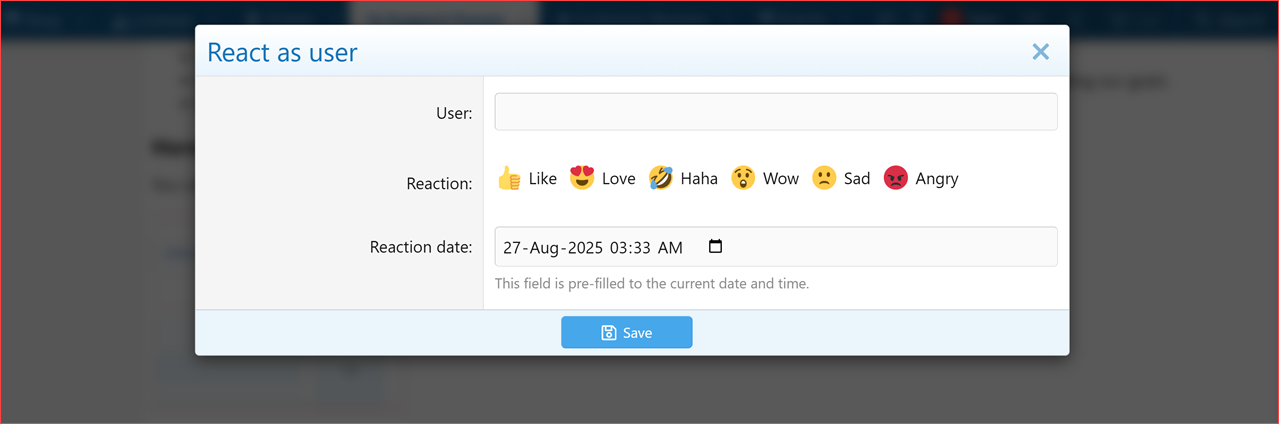
 React as User form with inline reaction selector.
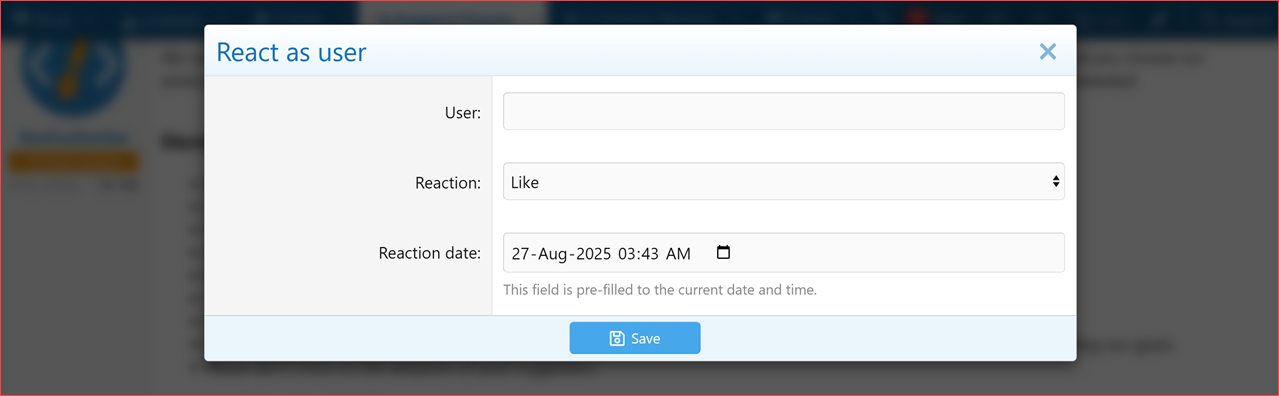
React as User form with the dropdown reaction menu.
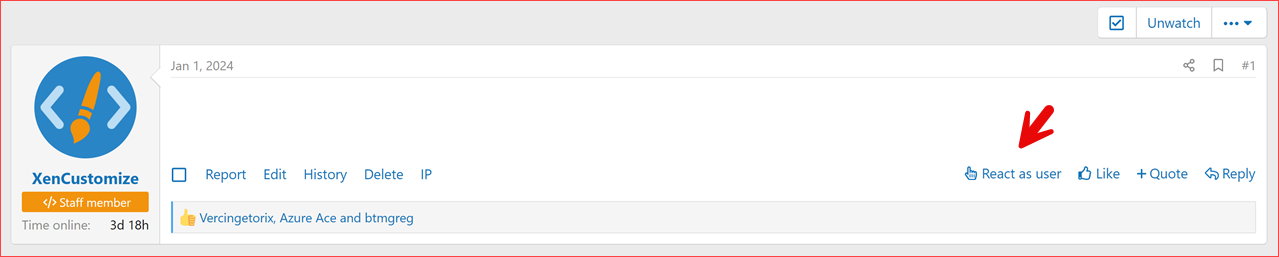
Front-end post showing React as user link.
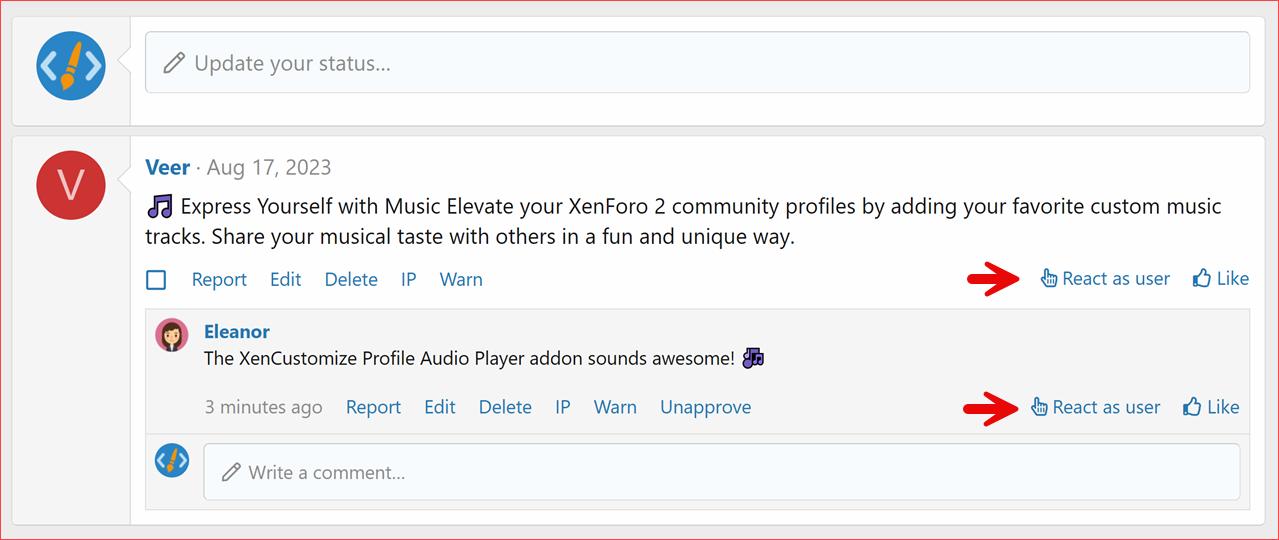
Front-end profile post and profile post comment showing React as user link.
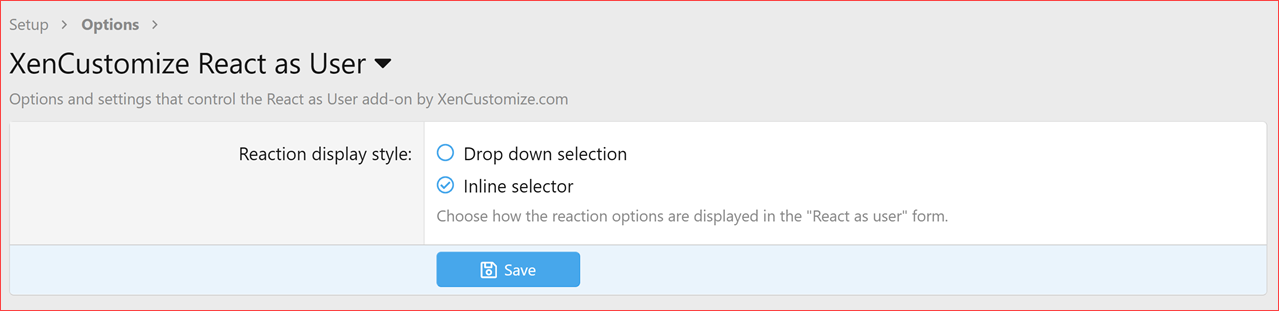
Admin options
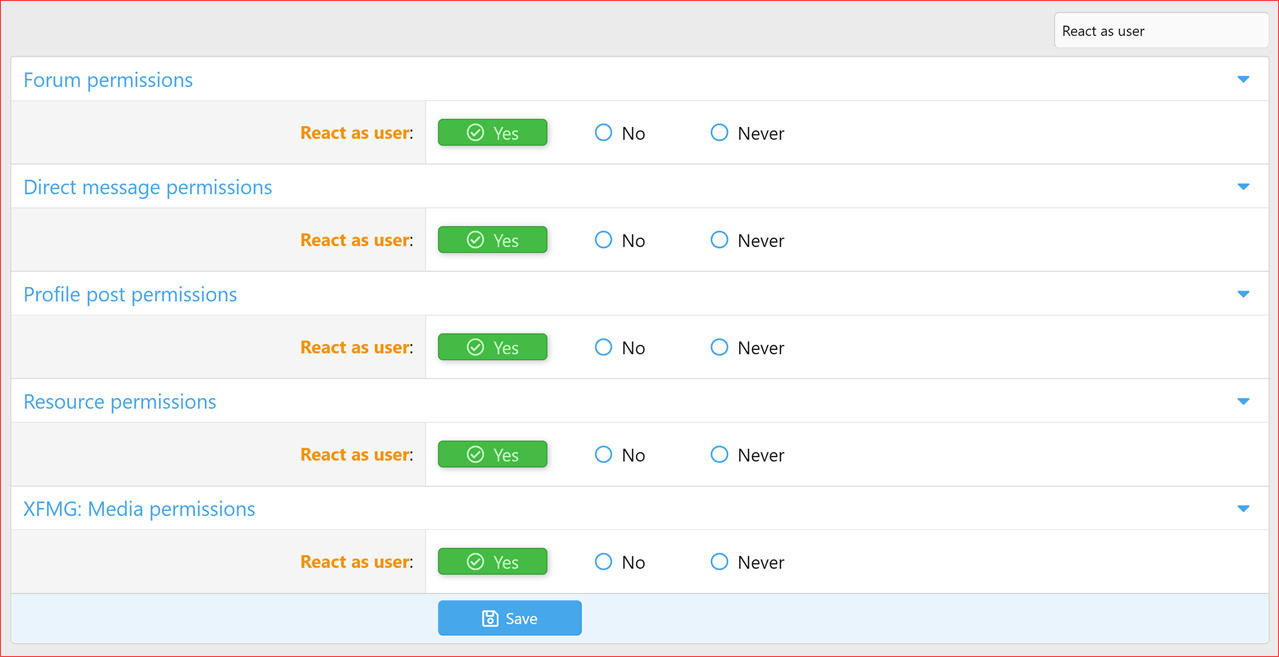
User group permissions
Running a busy community is tough. You need tools that are powerful, reliable, and easy to use. React as User is that tool — an essential utility for admins and moderators who want to:
 Get React as User today and make your XenForo community moderation smarter, faster, and more engaging!
Read more about this product...
React as User for XenForo 2 – Take Control of Reactions! 


Ever wanted to react to a post, comment, or direct message reply as another user? Tired of manually editing content or missing reaction management options? With React as User, administrators and moderators can instantly apply reactions on behalf of any user across posts, profile posts, profile post comments, conversations, resources, resource updates, media items, albums, and media comments.This powerful add-on is designed for community managers who need to maintain accurate user history, correct mistakes, or showcase important interactions. Whether you’re ensuring a key post gets the attention it deserves or fixing a misplaced reaction, this tool gives you precise control.
 Key Highlights
- Act on Behalf of a User – Apply a reaction as if it came from any user on your forum.
- Time Travel – Set a custom date and time for the reaction, perfect for backdating or correcting entries.
- Seamless Integration – Works with XenForo’s built-in reaction system for a native, familiar feel.
- Flexible Display Options – Choose between a classic dropdown menu or a modern inline reaction selector.
 Notable Features
- Versatile Reaction Application: Apply reactions to all supported content types: posts, profile posts, profile post comments, and conversation replies, XFRM resources & updates, XFMG media items, albums, and media comments.
- Intuitive Interface: Quickly select the user, choose the reaction, and set the date — all in one streamlined form.
- Performance Optimized: Built with XenForo best practices to keep your forum running fast and smooth.
- Comprehensive Logging: All actions are logged, ensuring accountability and transparency.
- Admin Customization: Two display styles for the reaction selector:
- Dropdown Menu: Simple, lightweight text-based selector.
- Inline Selector: Modern, visually appealing reaction row with icons and titles.
 Supported Content Types
React as User works seamlessly across XenForo’s core content and official add-ons:- Posts
 Profile posts
 Profile post comments
 Conversation messages
 XFRM resources (resource description & updates)
 XFMG media items
 XFMG albums
 XFMG media comments
Coming soon & on request:
We also plan to support all XenCustomize add-ons (News Publisher, Events Manager, Holidays Manager, Testimonials, Profile Audio Player & Library) — plus we’re open to adding third-party add-on content types upon request. Compatible XF Versions
XenForo 2.3.x XenForo 2.2.x (Untested and unsupported at this time) Screenshots
React as User form with inline reaction selector. React as User form with the dropdown reaction menu. Front-end post showing React as user link. Front-end profile post and profile post comment showing React as user link. Admin options User group permissions Why Buy This Add-on?
Running a busy community is tough. You need tools that are powerful, reliable, and easy to use. React as User is that tool — an essential utility for admins and moderators who want to:- Correct user mistakes.
- Curate and highlight important content.
- Maintain accurate engagement history.
- Save time and effort with direct control over reactions.
Get React as User today and make your XenForo community moderation smarter, faster, and more engaging!Read more about this product...


